What is Skyline Debrief?
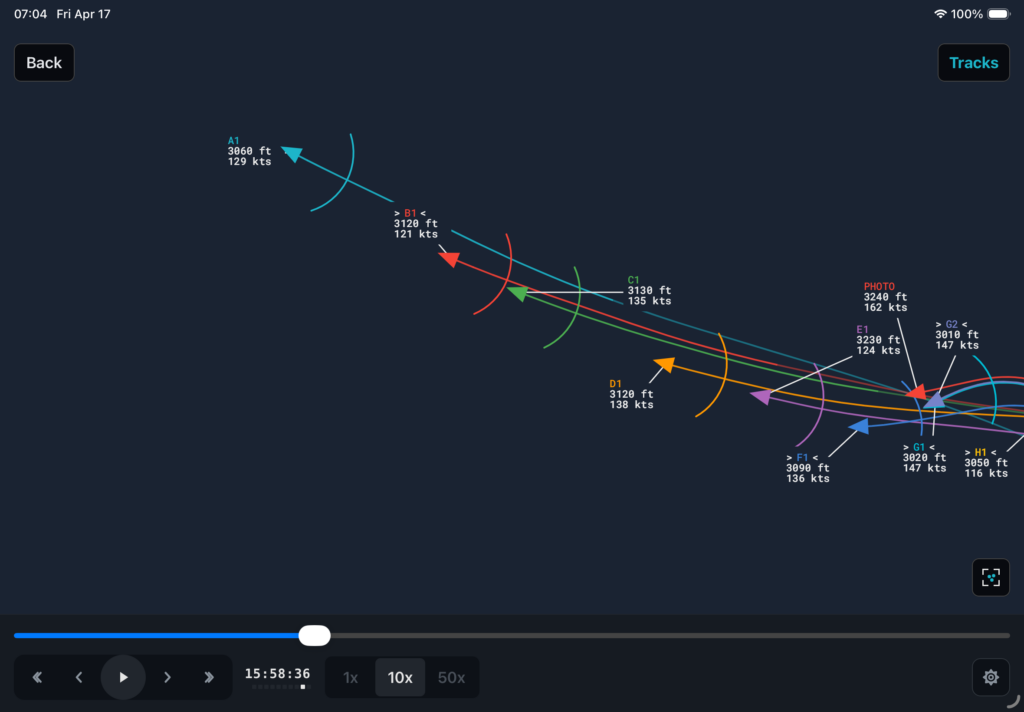
Skyline Debrief lets you debrief a formation flight. Here’s how it works:
- Record GPS tracks using ForeFlight, Garmin Pilot, or just about anything.
- Use AirDrop or email to send the tracks to an iPhone or iPad that has the Skyline Debrief app installed.
- Add all the GPS tracks from a flight, then use Skyline to help you debrief it.
Sounds Great – How Do I Get It?
The app is in the early stage of Beta testing. This means that it’s not fully featured and may have bugs. You can help make the app better by being a Beta Test User and giving feedback.
To install the app, you first need to install an Apple app called “Testflight” that gives you the ability to install applications that are still in the beta testing phase, then you can install Skyline Debrief through the Testflight app. Full details and links to both apps are here.